EDUCATION PERSONNEL MANAGEMENT INFORMATION SYSTEM (EPMIS)
Niger State Ministry of Basic and Secondary Education
Federal Republic of Nigeria
Website: www.epmis.tensng.com
Email: mrl@mrl.uk.com
All rights reserved.
No part of this document may be reproduced in any form without written permission from the Ministry of Basic and Secondary Education Niger State, Federal Republic Nigeria and MRL® Public Sector Consultants Ltd.
1. How to Register
Go to the EPMIS Web portal: https://www.epmis.tensng.com
On the landing page, click on the "Register" button
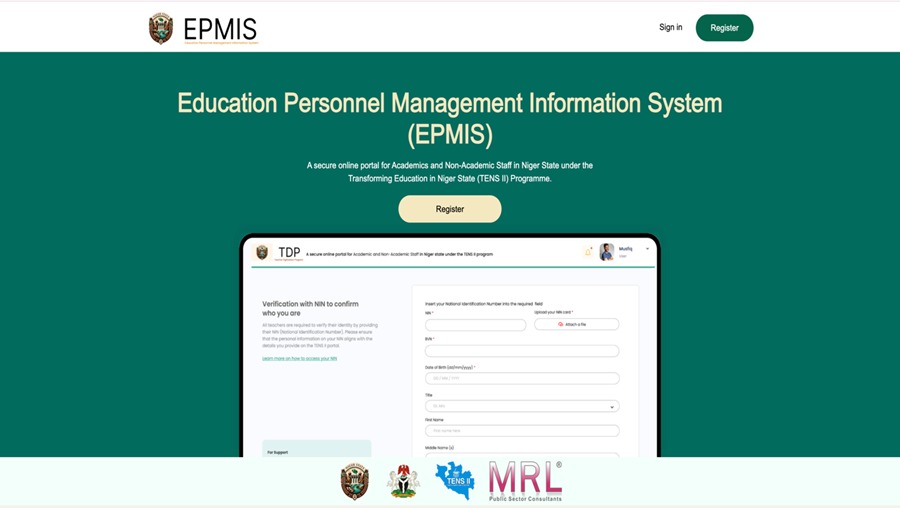
Click on the "Register" button on the landing page
Enter your name, email address, phone number and create a password
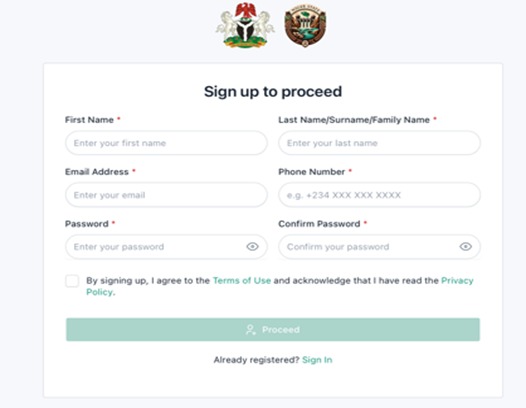
Fill in your registration details
Click "Proceed"
2. Email Verification
You will receive an email notification to activate your account.
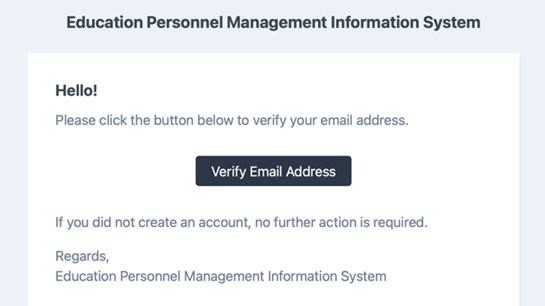
Email notification you will receive
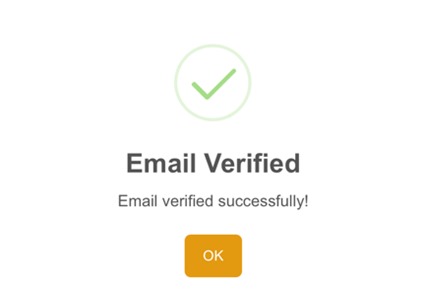
Click on "Verify Email Address"
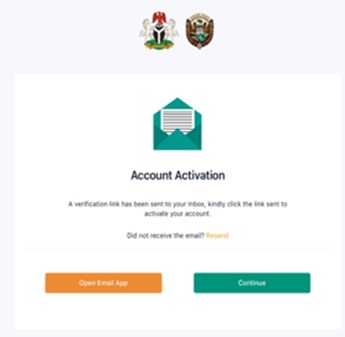
Once verified, log in using your registered email and password
3. How to Answer the Questionnaire
⏱️ Time Estimate: The Questionnaire will take approximately 30 minutes to complete.
✓ You can stop at any point and come back later - your progress is saved automatically.
✓ The System will save your data up to the end of each Section.
Please enter your NIN and Personal Information
- Enter your details as they appear in your official documents
- Use the standard date format (e.g., 25/11/1989)
- Select your gender from the drop-down menu
- Orange text provides guidance to help you complete the questionnaire
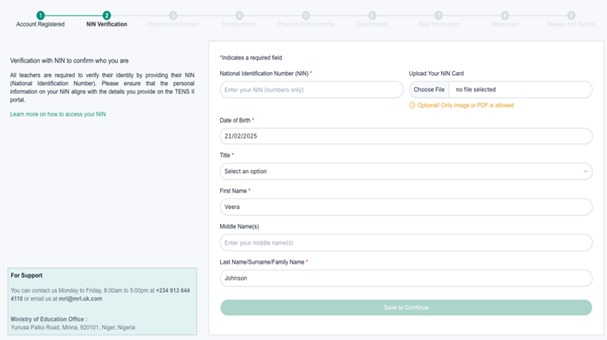
The green bar at the top shows your progress
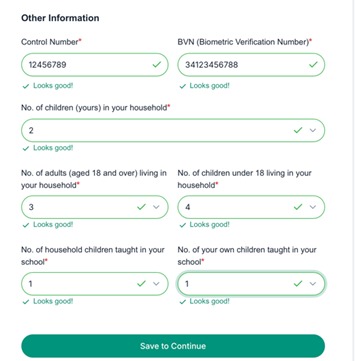
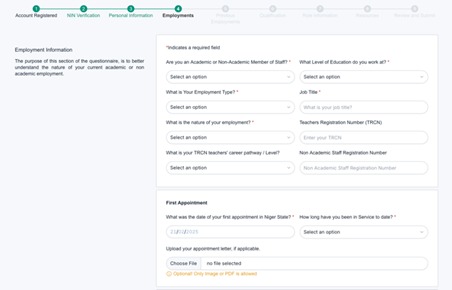
Please enter your Employment Information
This section of the questionnaire will capture employment information for both Academic and Non-Academic Staff. The questions asked are specific to your role.
- Select your employment category (Academic or Non-Academic) using the drop-down menu
- If you have a Teacher Registration Number (TRCN), enter it accurately
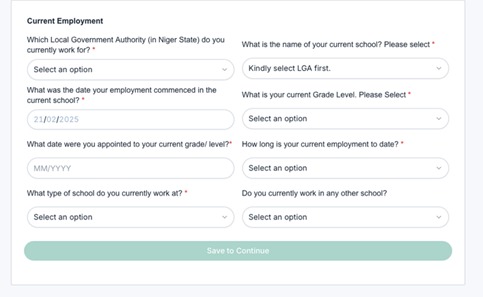
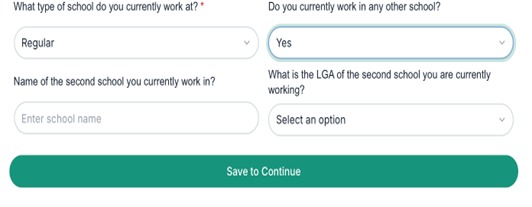
- Provide the correct LGA of your school to ensure precise location mapping
- Ensure you correctly list the subjects related to your qualifications
Please provide any Previous Employment Experience
Before you became employed in education, please provide any information about your previous employment experience.
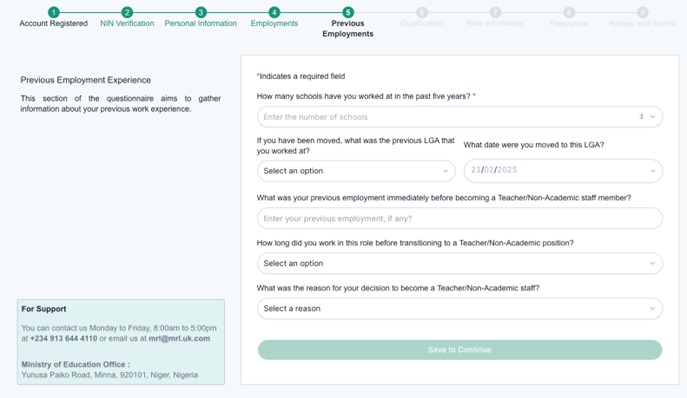
Previous Employment Experience Form
Enter your Qualification Information
This section captures your qualification information. Each section is adapted to whether you answer as an Academic or Non-Academic member of staff.
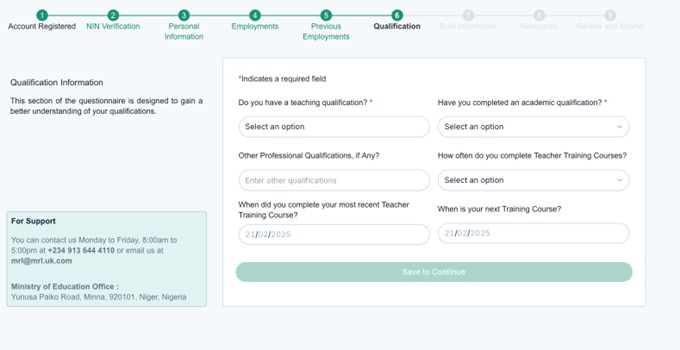
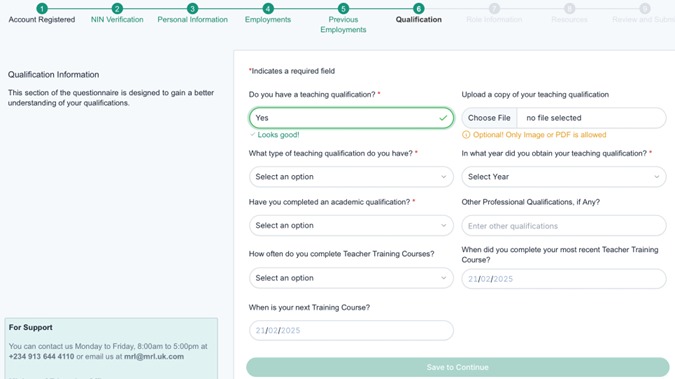
We would like to know more about your Current Role
This section captures information about your current role. Again, the questions are adapted to whether you are an Academic or Non-Academic member of staff.
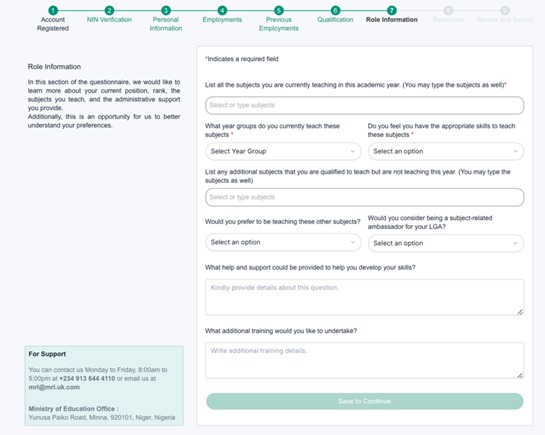
If you believe you require additional training, please specify your area of need
We would like to understand more about the Resources that your School has
Please be specific about any resources that you believe are needed at your school.
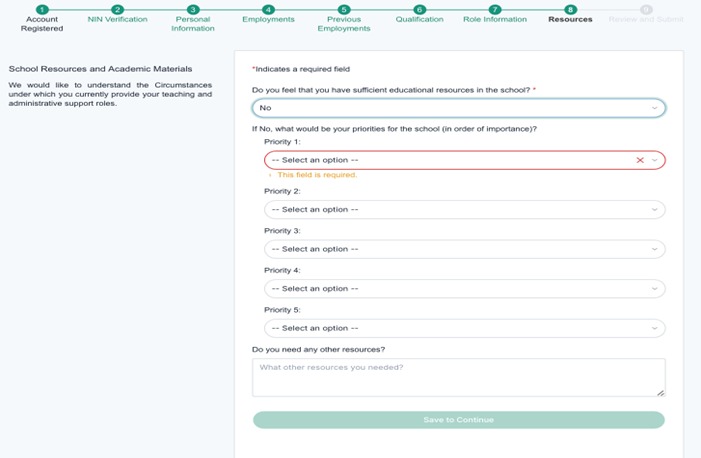
School Resources Assessment Form
Final Steps
- Review all of your responses before submission
- If an error occurs, corrections can be made before finalising the form
At the end of the questionnaire, you have the option to provide feedback. Your insights and suggestions are valuable in helping us improve and enhance the experience.
4. Additional Support
If you need support, please contact the EPMIS support team:
For inquiries, please submit the form here with accurate details for prompt review.
Alternatively, contact us Monday to Friday, 8:00am to 5:00pm at +234 913 644 4110.